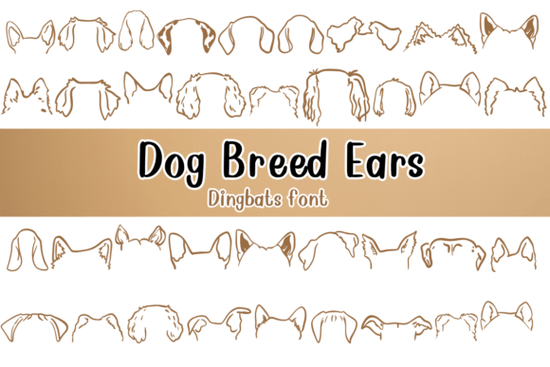
If you need a quick way to add playful canine silhouettes to your layouts without drawing them from scratch, the Dog Breed Ears Font gives you a complete set of ready-to-type graphics. Instead of traditional letters, each keystroke prints a unique dog ear illustration, turning your keyboard into a stamp pad for pet-themed designs. This style of typeface falls into the dingbat category, which replaces standard alphanumeric characters with icons and shapes.
What makes this dingbat font different from standard typefaces?
Regular fonts focus on readability. A dingbat font swaps out the alphabet for visual elements. When you type A, B, or C, you will see distinct ear shapes instead of text. This approach saves time because you do not need to import separate PNG files for every variation. You simply change the font size, adjust the color, and type away. The consistent line weight keeps your artwork looking cohesive, which matters when you are building brand assets or matching product lines.
How can crafters and print-on-demand sellers use dog ear graphics?
Pet owners love personalized items, and simple silhouettes work beautifully across different materials. Here are practical ways to put these icons to work:
- Apparel and accessories: Print repeating patterns on t-shirts or tote bags. Scale characters up for bold graphics or keep them small for pocket details.
- Stickers and decals: Die-cut vinyl handles simple shapes cleanly. Pair a single ear icon with a handwritten script for quick laptop stickers.
- Party supplies: Create custom invitations, cupcake toppers, or favor tags for adoption events and breed meetups.
- Digital templates: Add graphics to social media backgrounds or printable planners. The vector outlines stay sharp at any resolution.
If you enjoy browsing similar thematic collections, you can explore more options in our dingbat font library to find matching paws or pet silhouettes that pair well with this set.
Which software works best for installing and typing with symbol fonts?
You do not need expensive programs to get started. Once installed, the file behaves like any other typeface. Most creators use:
- Cricut Design Space or Silhouette Studio: Type characters, convert them to welding paths, and send them to your cutting machine.
- Adobe Illustrator or Inkscape: Outline text to edit curves, combine shapes, or build custom logos.
- Canva or Kittl: Upload the file to your brand kit and type directly into your layout. Adjust tracking to create seamless patterns.
Dingbat fonts rely on your keyboard layout. Open a basic text editor, type the full alphabet in uppercase and lowercase, and print a reference sheet. This simple step prevents guesswork later.
What should you check before using it in commercial projects?
Licensing rules vary by creator. Before selling finished products, verify these details:
- Commercial vs. personal use: Confirm whether the license covers physical goods, digital downloads, or both.
- End product limits: Some agreements cap sales volume or require an extended license for large print runs.
- File sharing restrictions: Selling items featuring the graphics is usually fine, but redistributing the font file is not allowed.
When you need to verify current licensing details or grab the latest version, you can review the Dog Breed Ears Font page directly. Keeping a copy of your license receipt in a dedicated folder makes platform audits easier to handle.
How do you pair a novelty dingbat with readable text?
Symbol fonts work best when they support clear messaging rather than competing with it. Follow these layout guidelines:
- Use a clean sans-serif or classic serif for headlines. Let the icons act as accents or dividers.
- Increase tracking slightly when creating icon rows so shapes do not touch unintentionally.
- Stick to two or three colors maximum. A neutral background keeps silhouettes recognizable on small items.
- Test at actual size. Print a physical proof before committing to a full production run.
Working with themed dingbats is straightforward once you treat them like modular graphic elements. You get the speed of typing with the flexibility of vector illustrations, which helps when managing custom orders or seasonal drops.
Quick next steps before you start designing:
- Install the font and restart your software so it appears in the menu.
- Type A–Z and a–z in a blank document, then save a key map for reference.
- Check license terms for your specific use case.
- Create a small test print to verify spacing and material compatibility.
- Save favorite character combinations as reusable components.
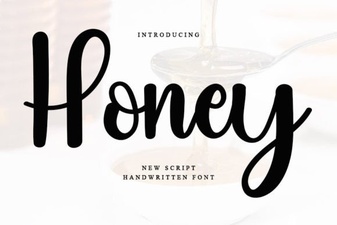 Honey Font: Creative Typography for Modern Projects
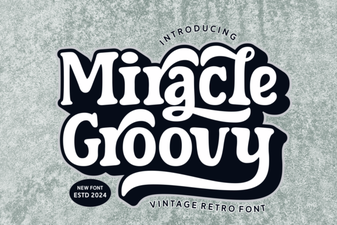 Groovy Font Guide: Creative Design Projects & Tips
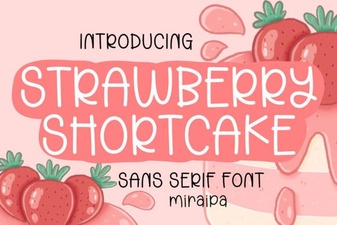 A Fun & Flair Font for Strawberry Shortcake Projects
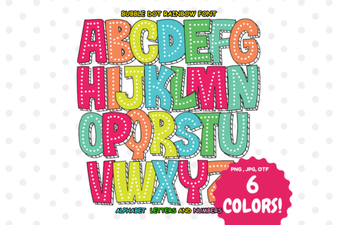 Creative Projects Using Bubble Dot Rainbow Font
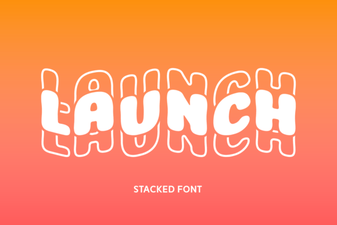 Introducing Launch Font: Design for Modern Websites
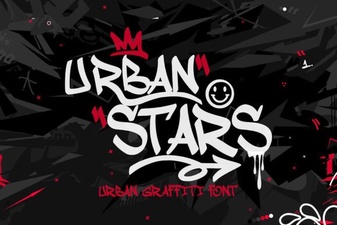 Urban Stars Font for Creative Web Projects