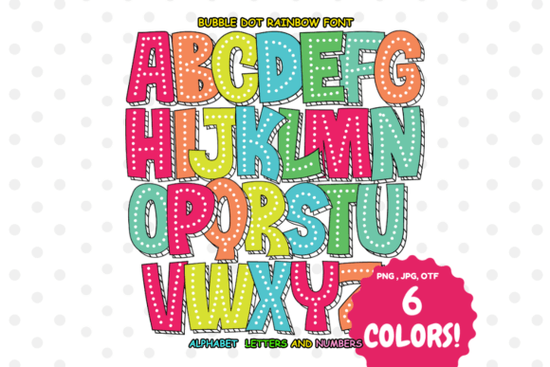
If you need a typeface that brings instant color and playfulness to your layouts, the Bubble Dot Rainbow Font delivers exactly that. It is an OpenType-SVG color font built with pre-filled gradients and bright rainbow tones, so you never have to manually layer shapes or adjust blend modes. Designers, print-on-demand sellers, and crafters can drop it into a canvas and get a finished, vibrant look in seconds.
What makes this color font different from standard typefaces?
Regular fonts rely on a single color that you change in your software. This typeface stores color information directly inside the glyph data. Every letter arrives with its own bubble texture and rainbow gradient already baked in. You get consistent shading and a bold presence without spending time on layer styles. If you prefer a looser, sketch-like aesthetic, you might also explore a hand-drawn color font for organic projects, but this option keeps everything neat and highly readable at larger sizes.
Which design software actually supports it?
Because the color data lives in an OpenType-SVG format, compatibility matters. The font works smoothly in Adobe Photoshop and Adobe Illustrator, where the SVG layers render exactly as intended. The standard OTF and TTF fallback files will display as flat outlines, and they are not compatible with Cricut Design Space, Silhouette Studio, or Inkscape. If you plan to cut vinyl, you will need to convert the text to outlines first or pick a different style. Checking the official font guide before installing will save you troubleshooting time later.
Where does it work best in real projects?
This typeface shines when you need immediate visual impact without complex design work. Here are a few reliable use cases:
- Party invitations: The rounded dots and bright gradients catch the eye on birthdays and summer gatherings.
- Social media graphics: Short headlines and sale announcements stay readable while adding a cheerful tone.
- Print-on-demand items: Stickers, tote bags, and kids’ apparel print cleanly when you keep the text large.
- Small business materials: Reward charts, boutique tags, and classroom sheets get a friendly upgrade.
When you need a softer alternative for younger audiences, a super cute font pairs nicely as secondary text. For seasonal campaigns, you might swap in a holiday-themed colorful typeface to match specific dates, or test a metallic glitter style when your brand needs a more premium finish. The bubble dot rainbow option sits right in the middle: bold, cheerful, and versatile enough for daily creative work.
How do I install and use it without errors?
Color fonts behave differently than standard typefaces, so a few simple steps will save you time. Install the OpenType-SVG file through your system font manager, not the basic TTF fallback. Open Photoshop or Illustrator, select the text tool, and choose the font. If letters appear flat, verify that SVG color rendering is enabled in your preferences. Keep text above 36pt for screens and 24pt for print, since dot patterns lose clarity when scaled down. When exporting, use PNG or PDF to preserve embedded color data, and avoid flattening into low-resolution JPEGs.
What should I watch out for before buying?
The main limitation is software support. If your workflow relies entirely on cutting machines or free vector editors, this font will not display its colors natively. Pair it with a clean sans-serif for body copy, since the rainbow gradients demand attention. Test a short phrase before committing to a full layout, and check how the colors print on your specific material. Dark backgrounds can mute brighter tones, while white or light pastel surfaces keep the effect crisp.
If you want to see how it looks across different mockups and grab the latest version, you can preview the Bubble Dot Rainbow Font directly on Creative Fabrica. The download includes the SVG color file, standard fallbacks, and a quick reference sheet.
Quick setup checklist before you start designing
- Install the OpenType-SVG file, not the basic TTF/OTF fallback.
- Open Photoshop or Illustrator and verify color glyphs render correctly.
- Set text size to 36pt or larger for screens, 24pt or larger for print.
- Pair with a simple sans-serif for paragraphs and fine print.
- Export as PNG or PDF to keep rainbow gradients intact.
- Run a test print on your final material before producing bulk orders.
Keep this list handy, and you will avoid common color font mistakes while getting consistent, vibrant results every time.
Learn More Unique Fonts for Creative Projects
 Classic Americana Fonts for Patriotic Designs
 Super Cute Font Designs & Creative Project Ideas
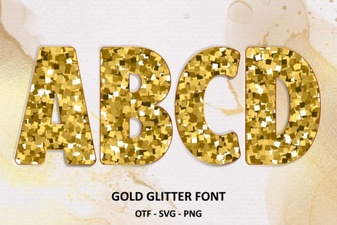 Golden Elegance: a Glitter Font Design Guide
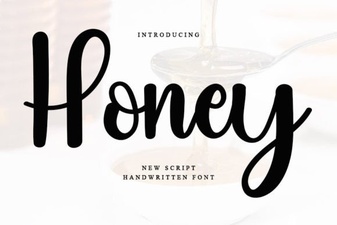 Honey Font: Creative Typography for Modern Projects
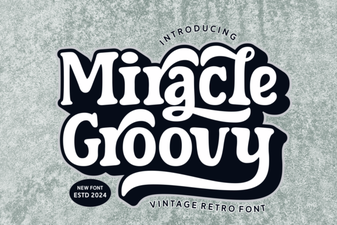 Groovy Font Guide: Creative Design Projects & Tips