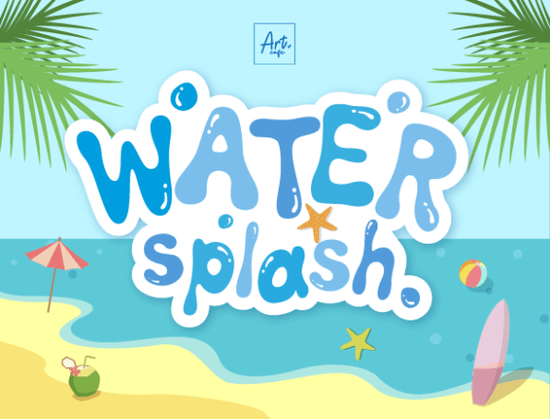
If you are designing summer merchandise, festival posters, or beach-themed branding, Water Splash Font gives you a ready-made typographic solution that mimics the fluid motion of water. This display typeface was built to capture everything from calm pool reflections to energetic ocean waves, making it a practical choice for print-on-demand sellers, small business owners, and creative hobbyists who need lettering that feels fresh and seasonal without looking cartoonish.
What makes this typeface work for aquatic and summer projects?
The glyphs are drawn with uneven baselines and flowing strokes that suggest liquid movement. Instead of rigid geometric shapes, you get organic curves that read well on t-shirts, tote bags, drinkware, and event flyers. The irregular edges help the letters stand out against busy backgrounds, which is especially useful when you are layering text over photographs of beaches, pools, or festival crowds. If you have ever struggled to make standard sans-serif fonts feel playful enough for a summer sale, this style bridges that gap by adding motion while keeping the characters legible at medium to large sizes.
Creators often ask whether a decorative font can handle commercial workflows. The answer usually comes down to spacing, file compatibility, and licensing. This font ships with standard desktop files that install cleanly on both Mac and Windows machines. Once installed, it appears in your font menu alongside your everyday typefaces, so you can use it in Canva, Photoshop, Illustrator, or Cricut Design Space without extra conversion steps. For crafters cutting vinyl or heat transfer material, the solid shapes cut cleanly, and the flowing connections reduce weeding time compared to heavily distressed scripts.
Where should you use it in your current design workflow?
Because it is a display face, it performs best when treated as a headline or accent rather than body copy. Here are a few practical applications that tend to convert well for small shops and independent creators:
- Print-on-demand apparel: Pair it with simple graphics like sun outlines, wave icons, or palm silhouettes for quick summer listings.
- Festival and event signage: The energetic rhythm works nicely for water fights, beach cleanups, pool parties, and cultural celebrations like Songkran.
- Packaging and labels: Use it for seasonal product runs such as cold brew sleeves, sunscreen stickers, or limited-edition candle wraps.
- Social media templates: Drop it into Instagram story frames or Pinterest pins where you need a quick visual hook above a clean sans-serif caption.
When you need a different mood for the same campaign, you can easily switch directions by browsing other display options. For example, if you want to test a vintage summer vibe, you might explore a retro-inspired lettering set that leans into seventies curves. If your project calls for something more energetic and modern, a groovy display alternative can give you thicker strokes and tighter spacing. Sports-themed summer camps often perform better with a collegiate block style, while new brand rollouts sometimes need a clean introductory typeface to balance the decorative elements. You can also preview the full character set and spacing details on the dedicated Water Splash gallery page before adding it to your library.
How do you pair it without making the design feel cluttered?
Decorative fonts need room to breathe. The safest approach is to pair this typeface with a neutral sans-serif or a light geometric font for subtitles and fine print. Keep the water-themed lettering at the top or center, reduce the supporting text to roughly forty percent of the headline size, and align everything to a simple grid. If you are working with transparent backgrounds, add a subtle drop shadow or a thin white stroke to separate the letters from busy photographs. Avoid using more than two type families in a single layout, and let the organic curves carry the visual weight.
Licensing is another practical detail that creators often overlook. Most marketplace fonts include a commercial license that covers physical products and digital mockups, but you should always verify the terms before listing items for sale. Check whether the license allows unlimited print runs, whether you can use the font in editable templates for clients, and whether digital downloads like printable art files are covered. Keeping a simple spreadsheet of your font licenses saves time during shop audits and protects your business from accidental infringement claims.
What should you verify before adding it to your toolkit?
Before you commit to any new typeface, run through a quick quality check. Install the font, type out your most common phrases, and test it at the exact dimensions you plan to print or publish. Look for awkward gaps between specific letter combinations, check how punctuation aligns with the baseline, and print a physical proof if you are producing merchandise. If you want to see how it performs alongside other seasonal options, you can compare it directly with the Water Splash Font listing to review file formats, language support, and creator notes.
Quick next steps for your project:
- Install the desktop files and restart your design software to avoid missing font errors.
- Type your headline at 100% scale and check spacing on letters like A, V, W, and Y.
- Pair it with a light sans-serif for subheads and keep body copy under three lines.
- Export a test print or digital mockup to verify contrast against your background image.
- Save your license PDF in a dedicated font folder for fast reference during shop audits.
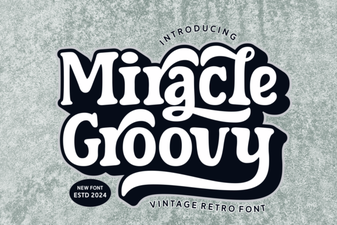 Groovy Font Guide: Creative Design Projects & Tips
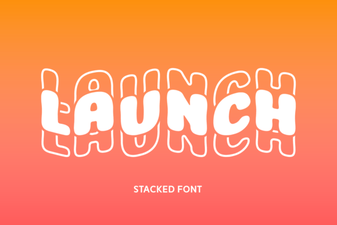 Introducing Launch Font: Design for Modern Websites
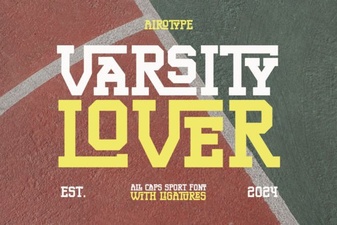 Varsity Lover Font for Sports & Creative Designs
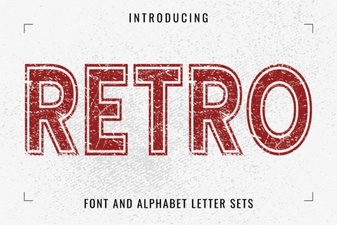 Retro Font Styles for Creative Digital Projects
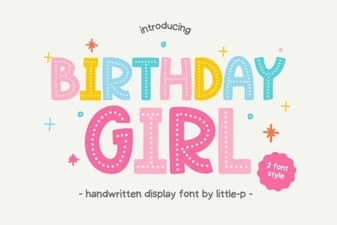 Best Birthday Girl Fonts for Creative Projects
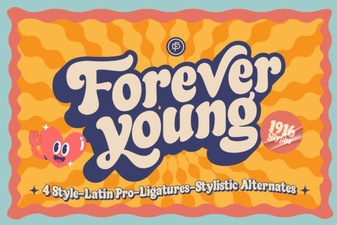 Forever Young Font: Vintage Typography for Modern Projects