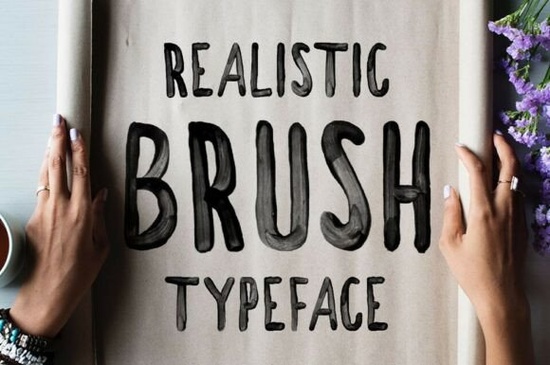
If you need a brush typeface that keeps the rough, painted texture of real ink strokes, the Westfalia Font delivers exactly that. Unlike standard vector fonts that smooth out every edge, this version uses SVG technology to preserve transparent brush marks and uneven line weight. It is built for designers, crafters, and small shop owners who want logos, packaging, and print-on-demand items to feel genuinely handmade without illustrating each letter from scratch.
What makes the SVG format different from a regular brush font?
Most script fonts rely on clean vector outlines. When scaled up, the edges stay perfectly sharp, which can make designs look too digital. The Westfalia typeface solves this by embedding actual transparency data directly into each character. Letters overlap with realistic paint bleeds and dry brush effects, mimicking a real marker on paper.
Because it uses SVG color font technology, you need compatible software to see the full effect. Adobe Illustrator CC 22.0.0, Photoshop CC 18.0, and InDesign CC 13.0.1 or newer render the texture correctly. Free tools like Photopea also support it. Older programs will still display the letters, but they appear as flat shapes without the painted transparency.
Which projects work best with this hand-painted style?
The rough edges and varied thickness make it a natural fit for outdoor branding, adventure apparel, and rustic product labels. It pairs well with clean sans-serif text when you need a clear visual hierarchy. Many print-on-demand sellers use it for quote shirts, camping stickers, and handmade packaging because the texture holds up well on both screens and physical prints.
If you are building a larger typographic system, you might want to browse a collection of handwritten styles to find supporting typefaces that balance the heavy brush strokes. For a lighter look, some designers combine it with thin hand-drawn lettering to keep layouts from feeling crowded. When you need a different mood, switching to a vintage typewriter style or a playful casual display font can give your brand a fresh direction.
Do I get multilingual support and alternate characters?
The main SVG file focuses on English letters, numbers, and standard punctuation to keep rendering smooth. If your project requires accented characters, the download includes Westfalia V.2. This secondary version covers multilingual glyphs and comes with a full set of alternates. You can swap repeating letters to avoid that obvious digital repetition.
For designers who want to verify licensing or check customer previews, you can search for the Westfalia Font directly on the marketplace before downloading.
How do I install and use it without formatting issues?
Working with SVG color fonts requires a slightly different workflow than standard OTF files. Keep these steps in mind:
- Check your software version first. Older programs will not read transparency layers.
- Enable color font rendering. Make sure the SVG option is active so the texture displays correctly.
- Test print before production. Dry brush edges can appear lighter on certain fabrics or paper stocks.
- Pair with simple layouts. Keep backgrounds clean and avoid adding extra grunge overlays.
Is the commercial license straightforward for small shops?
The standard download covers personal and commercial use for most small business applications, including digital products, physical merchandise, and client branding. You do not need extra tiers for basic shop listings or limited-run prints. If you plan to embed the files directly into software or web servers, review the extended terms on the product page. For most crafters, the included license is ready to use immediately.
Quick next steps before you start designing:
- Verify your software meets the minimum version requirements for SVG color fonts.
- Install both the main SVG file and the V.2 version to keep alternates accessible.
- Type your headline and manually swap repeating letters using the alternate glyphs.
- Export a high-resolution PNG to check how the texture translates outside your design program.
- Run a test print on your final material to confirm the edges remain crisp.
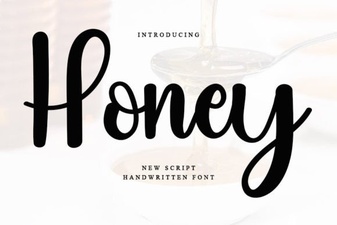 Honey Font: Creative Typography for Modern Projects
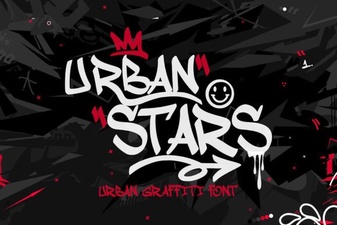 Urban Stars Font for Creative Web Projects
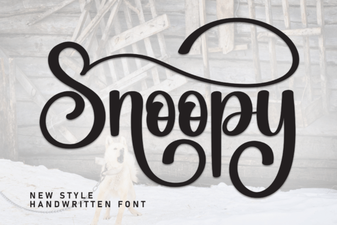 Snoopy Font: Creative Ideas for Fun Projects
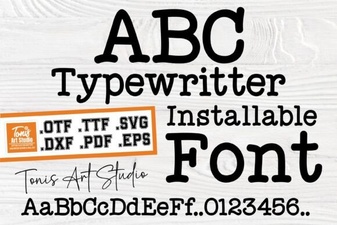 Modern Typography: Using the Ab Typewriter Font
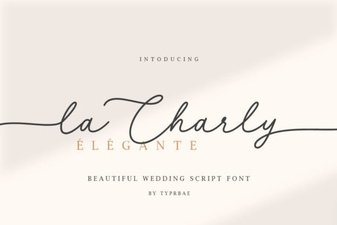 La Charly Font: Design with Playful Elegance
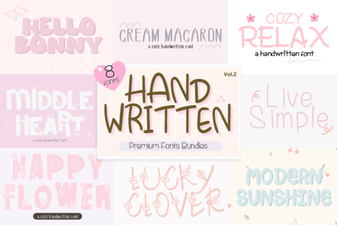 Creative Projects with Handwritten Bundle Fonts