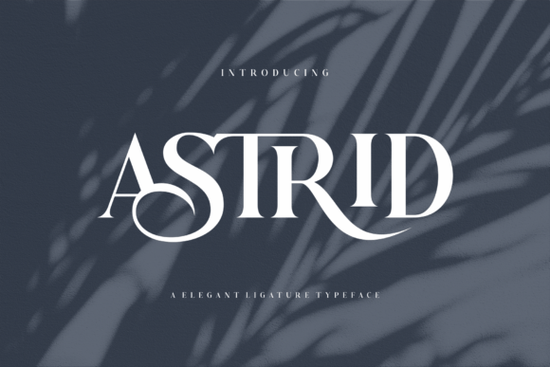
If you are looking for a typeface that feels both classic and current, Astrid Font delivers exactly that balance. This serif typeface combines clean proportions with delicate letterforms, making it a reliable choice for branding, wedding stationery, print-on-demand products, and everyday crafting projects. Instead of relying on heavy decorative elements, it uses subtle curves and well-spaced characters to keep your text readable while still looking polished.
What makes this serif style work well for print and digital projects?
Serif fonts often struggle when scaled down or printed on textured materials, but Astrid was built with practical use in mind. The letterforms maintain clear distinction even at smaller sizes, which matters when you are designing business cards, product labels, or mobile-friendly websites. The moderate contrast between thick and thin strokes prevents ink bleed on cotton tote bags or ceramic mugs, and the balanced spacing reduces the need for manual kerning adjustments.
When you work across different mediums, consistency saves time. You can set headlines, subheadings, and short body copy in the same family without losing legibility. If you want to compare how different serif weights behave on mockups, you can also look at typefaces like Calora to see how varying stroke widths affect your final layout.
Which design projects suit this lettering best?
Not every font fits every job, and knowing where a typeface shines helps you avoid redesigns later. Astrid works particularly well when you need a refined look without appearing stiff or overly formal. Here are a few everyday applications where it performs reliably:
- Wedding and event stationery: Invitations, place cards, and thank-you notes benefit from the elegant serifs and smooth rhythm.
- Small business branding: Logos, packaging stickers, and social media templates look cohesive when the typography carries a quiet sophistication.
- Print-on-demand merchandise: T-shirts, mugs, and journals print cleanly because the character shapes hold up well during heat transfer and digital printing.
- Editorial and blog graphics: Quote images, Pinterest pins, and newsletter headers gain structure without overwhelming the accompanying photos.
If you are building a shop library, keeping a versatile serif on hand reduces the time spent searching for replacements. You can review the complete Astrid type family to check which weights and alternates are included before you start a new seasonal collection.
How do you pair it with other typefaces without creating visual clutter?
Pairing fonts is less about following strict rules and more about creating clear contrast. Since Astrid already carries a distinct personality, it works best when matched with simpler companions. A clean sans serif for body text keeps longer paragraphs readable, while a light script can add a personal touch to signatures or short accents. Avoid combining it with another high-contrast serif, as the competing details will make the layout feel heavy.
When testing combinations, try this quick workflow:
- Set your headline in Astrid at a comfortable reading size.
- Choose a neutral sans serif for supporting text and reduce the weight slightly.
- Check the x-height alignment between the two fonts to ensure smooth visual flow.
- Print a small test sheet or view the mockup on a phone screen to catch spacing issues early.
Many designers overlook line height adjustments when switching between font families. Adding just two or three points of leading often resolves cramped text blocks and gives the serif details room to breathe. Small spacing tweaks usually make a bigger difference than swapping the font entirely.
What should you verify before using a font for client or shop work?
Licensing and file compatibility are just as important as aesthetics. Before adding any typeface to a commercial project, confirm that the download includes the correct license for your intended use. Check whether web font files, desktop formats, and commercial rights are covered, especially if you plan to sell physical products or digital templates. Missing glyphs or limited language support can also cause unexpected substitutions when customers open your files on different operating systems.
For a quick reference on how this typeface is distributed and what commercial terms apply, you can visit Astrid Font to review the included files and usage guidelines. Keeping a simple license tracker in your design folder prevents compliance issues later and makes client handoffs smoother.
Before you start your next layout, run through this quick pre-flight checklist:
- Confirm the font license covers your specific use case (digital, print, or POD).
- Test the typeface at actual print size and on a mobile screen.
- Adjust tracking and line height to match your layout density.
- Export a PDF or PNG proof to check how the serifs render after compression.
- Save your font pairing settings as a style preset to speed up future projects.
Keeping these steps in mind will help you get consistent results whether you are designing a single invitation or scaling a full product line.
Explore Design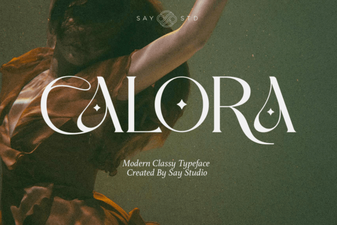 Calora Font: Design Elegance & Creative Use Cases
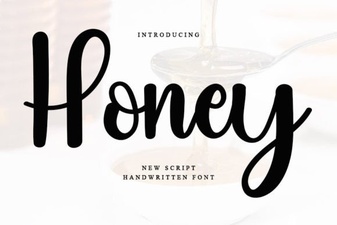 Honey Font: Creative Typography for Modern Projects
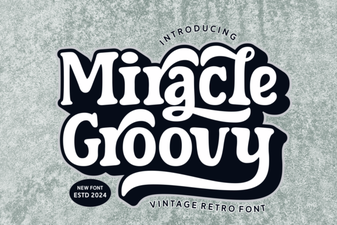 Groovy Font Guide: Creative Design Projects & Tips
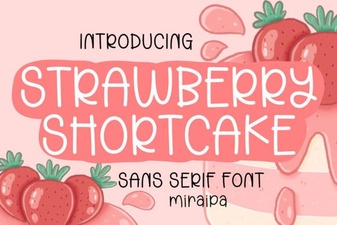 A Fun & Flair Font for Strawberry Shortcake Projects
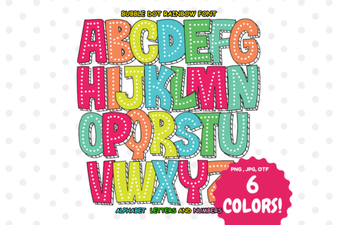 Creative Projects Using Bubble Dot Rainbow Font
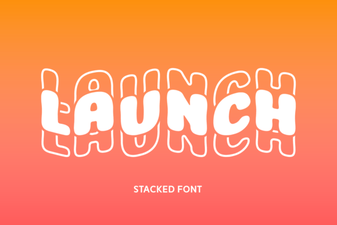 Introducing Launch Font: Design for Modern Websites